Interactive product demos, built from screenshots
Turn a few clicks through your product into a shareable, interactive demo. Record, let AI add tooltips, voiceover, and zoom, then embed it anywhere. The demo below was built with Guide Pro.
Take a tour of Product Tour
View demoRecord
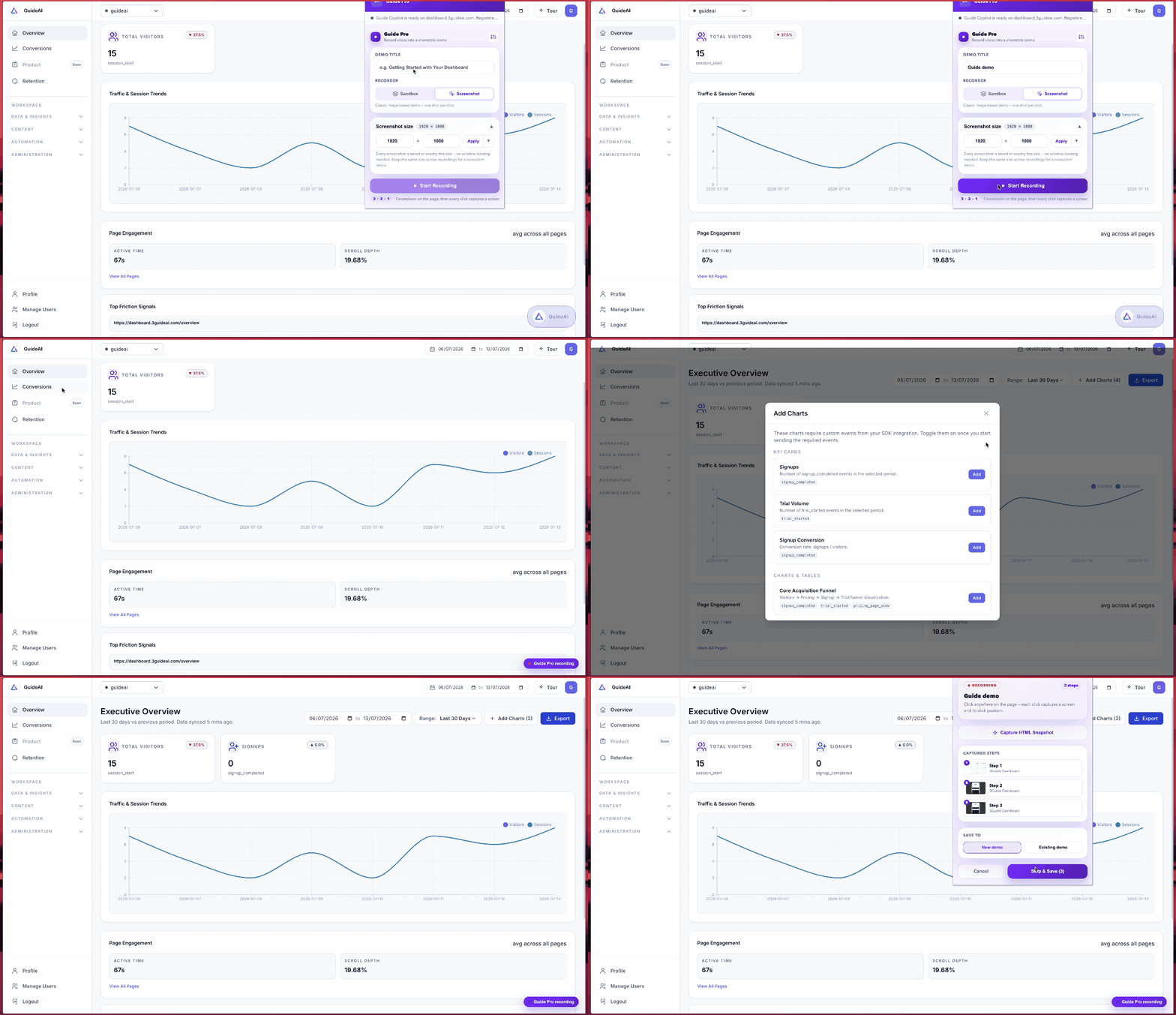
Click through your product. Get a demo.
Start recording in the Chrome extension and click around your app. Every click captures a screen either a pixel-perfect image or a clickable snapshot that replays like the live product. Stop, and it imports as a draft automatically.
- Capture screenshots or fully clickable page snapshots
- Records your clicks, typing, and scrolling as steps
- No engineering, no staging environment, no live access
Enhance
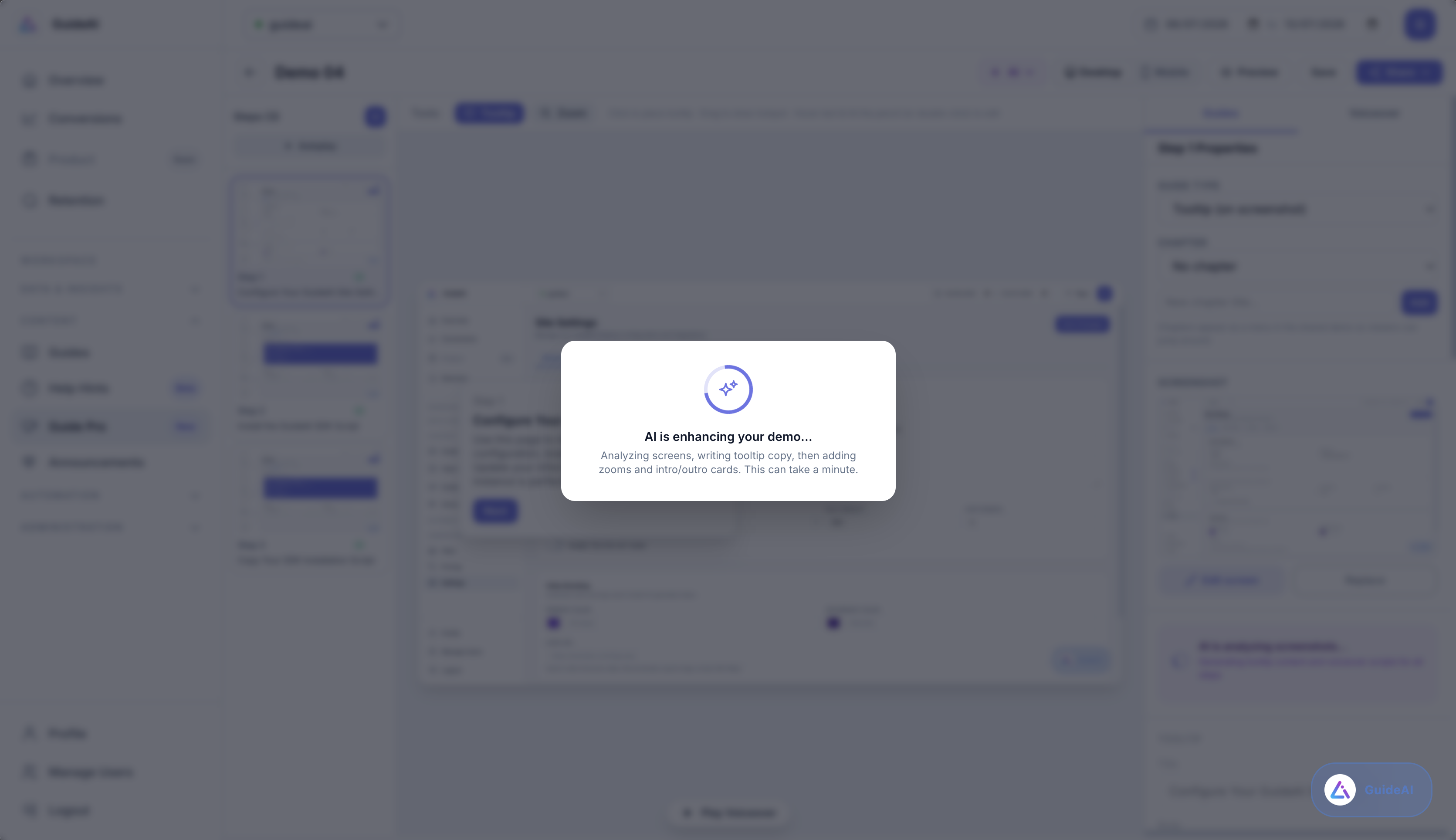
AI turns raw screens into a polished story
AI reads your captured screens and picks the best treatment for each one, a zoom toward the action, a scroll pan down a long page, or a self-playing motion step with narration, then writes the tooltip copy and an intro and outro to wrap it all.
- Auto-written tooltips and step copy
- Best zoom, pan, or motion chosen per screen
- Natural voiceover on every step, or clone your own voice
Refine
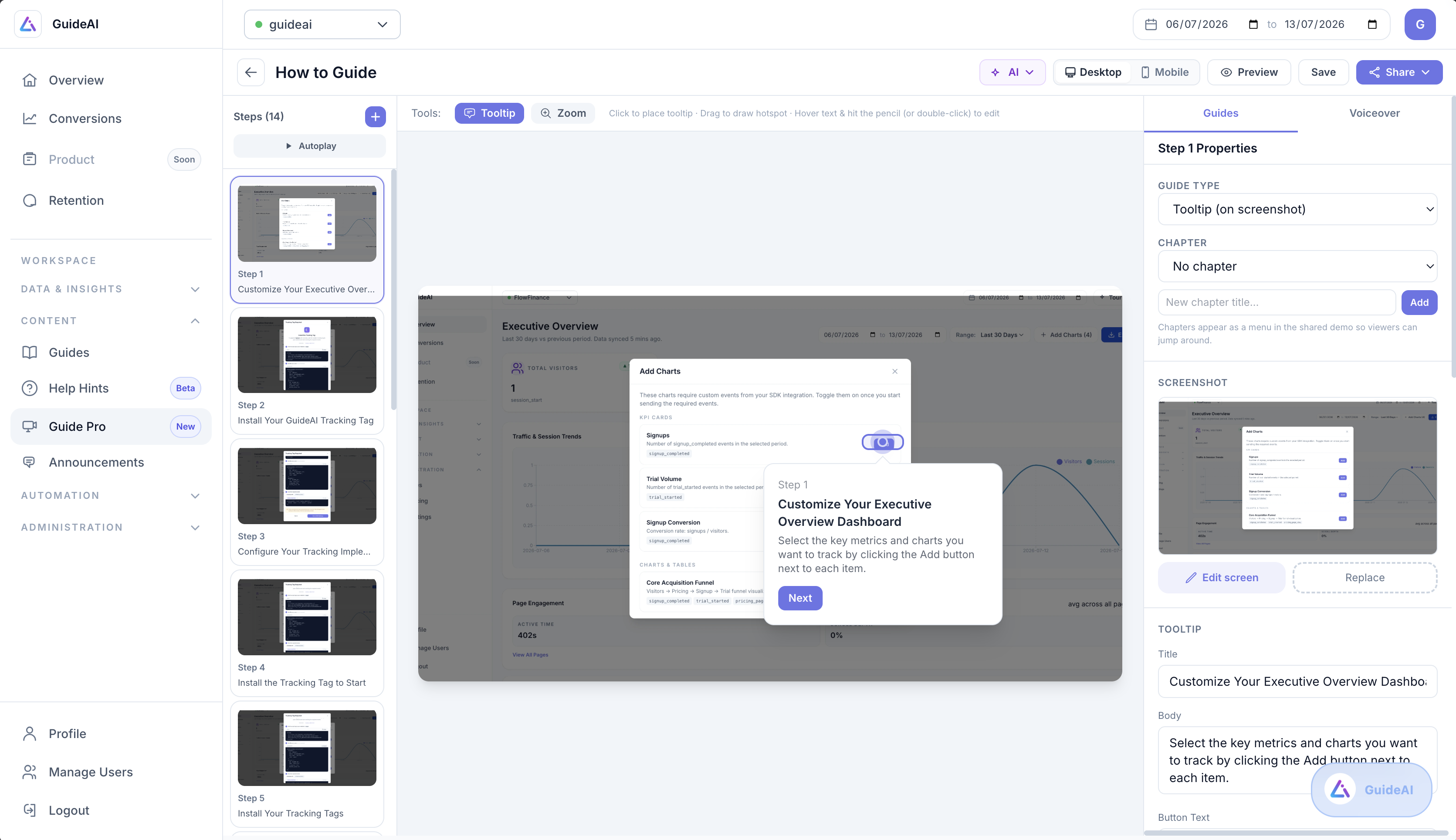
Make it yours, down to the pixel
Add chapters, hotspots, and highlights. Blur anything sensitive with a non-destructive mask. Drop in a lead form to capture prospects mid-demo, and add a presenter face-cam that follows viewers across every step.
- Chapters, hotspots, highlights, and click beacons
- Blur PII, crop frames, and annotate on the screen
- Lead forms and personalization tokens built in
Share anywhere
One demo, three ways to embed
Publish once and drop the demo wherever your buyers are your website, a landing page, an email, or a sales follow-up.
Inline
Embed the demo directly in your page. It plays right where it sits, perfect for landing pages and docs.
Overlay
A branded poster with a call-to-action. One click takes over the full screen with the demo.
Popup
A button or poster that opens the demo in a popup over your page and drop it anywhere on your site.
Everything included
A full demo studio, not just a screen recorder
Two ways to capture
Record a clickable copy of your product that replays like the live app, or a crisp image-based demo.
AI enhance
AI reads your screens and writes the tooltip copy, picks the best zoom or scroll per step, and drafts an intro and outro for you.
Voiceover & voice cloning
Generate natural narration for every step, tune the pace, or clone your own voice from a short sample.
Redact anything sensitive
Blur PII with a non-destructive frosted mask, crop the frame, and draw arrows or highlights right on the screen.
Personalization tokens
Drop in {{first_name}} and other variables that fill from the share link or a lead form one demo, personalized for everyone.
Export as PDF, GIF, or MP4
Every demo can leave the browser as a document, an autoplay GIF, or a rendered video with the voiceover and zoom baked in.
FAQ
Guide Pro, answered
No. Guide Pro demos are self-contained copies built from screenshots and page snapshots captured with the Chrome extension. They play as a standalone page or embed, so prospects never touch your real app.
Click 'Create Demo' to start recording in the extension, then click through your product. Each click captures a screen. Stop recording and the demo imports automatically as a draft. The AI adds tooltips, voiceover, and zoom, and you refine it in the builder.
Publish a demo to get a share link on its own domain, then embed it inline on a page, as a click-to-play overlay poster, or as a popup. All three come with copy-paste code and a branded call-to-action.
Yes. Drop a lead-form step anywhere in the flow to capture viewer details mid-demo. The values they enter can personalize the rest of the demo with tokens.
Yes. Any demo can be exported as a PDF, an autoplay GIF, or a rendered MP4 with the voiceover and zoom baked in. Great for emails, decks, and social.
Turn your product into a demo people can play with
Record a few clicks, let AI do the polish, and share an interactive demo anywhere.
No credit card required · Set up with one snippet