Dashboard · Build
Where your team builds and watches everything
Build guides, watch analytics, and see exactly what users are struggling with — in one console your team actually owns.
Explore01
No developer required
One line of code puts an AI helper inside your product. It shows people how, answers their questions, and completes the task for them — so you ship fewer tickets, faster onboarding, and hard data on exactly where your product confuses people.
Loved by product, success & support teams
Take a tour of Product Tour
View demoWhy 3Guide
Help docs, training videos, and more support staff are the expensive, slow fixes. 3Guide is a layer on top of the software you already have — no rebuild — that teaches people how to use it, and increasingly, just does things for them.
Without 3Guide
With 3Guide
How it works
One line of code puts an AI helper inside your product — one that never sleeps and never gets tired of the same question. It does three things.
It shows people how
Not a video. Not a PDF. The actual product, with a spotlight on the actual button, saying “click here next.” People learn by doing, inside the real thing.
Faster onboarding for new users and new staff
See in-app guidesIt answers questions
A user types “how do I refund an order?” and gets an answer grounded in that specific product — not generic advice scraped off the open web.
Fewer support tickets, answered in seconds
See the assistantIt does the work
Instead of explaining the seven clicks, it performs them. The user says “cancel my subscription” and it navigates and clicks through — with them watching every step.
Less of the user's time spent at all
See the copilotFor users and employees
Your employees and your clients both need to learn the same software — but they don't learn it the same way. Click through the task once and 3Guide produces every format from that single recording, so nothing has to be rebuilt when the audience changes.
A self-paced walkthrough of the real workflow. People learn by clicking through it, not by watching someone else do it.
Best for: New-hire ramp and client onboarding
A self-contained copy of your product built from page snapshots. No login, no live access, no risk to real data — so staff can practise the risky workflow safely.
Best for: Practice runs before touching production
A rendered video with voiceover and zoom baked in, in whatever aspect ratio your LMS or intranet expects.
Best for: Course modules and training libraries
A short, silent loop of one task that plays inline anywhere — a wiki page, a Slack message, an onboarding email.
Best for: Quick answers in the flow of work
The same walkthrough as a numbered document people can print, annotate, or attach to a client handover pack.
Best for: Compliance records and offline reference
Capture the workflow in the Chrome extension and export it however each audience needs it — no re-recording, no editing suite.
What you install
In-app guidance, interactive demos, polished training video, an AI assistant, a task-completing copilot, and friction analytics — every capability points at the same outcome: users who succeed with your product.
Create guided tours by clicking through your own product. Publish in one click, target by segment, and never write custom code for onboarding again.
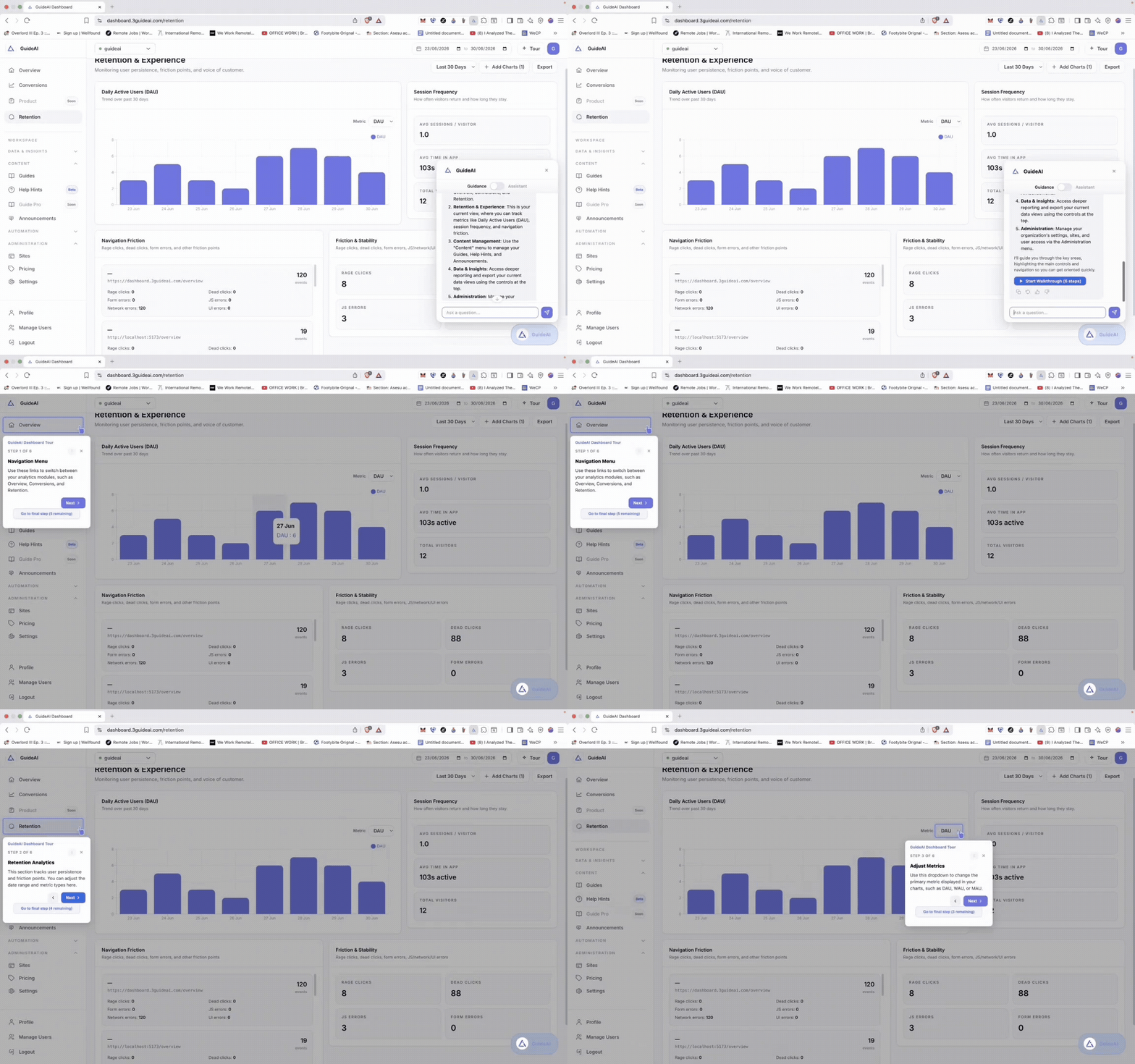
Guidance, answers, and automation are what your users see. Behind them sits a full product suite your team runs the business on.
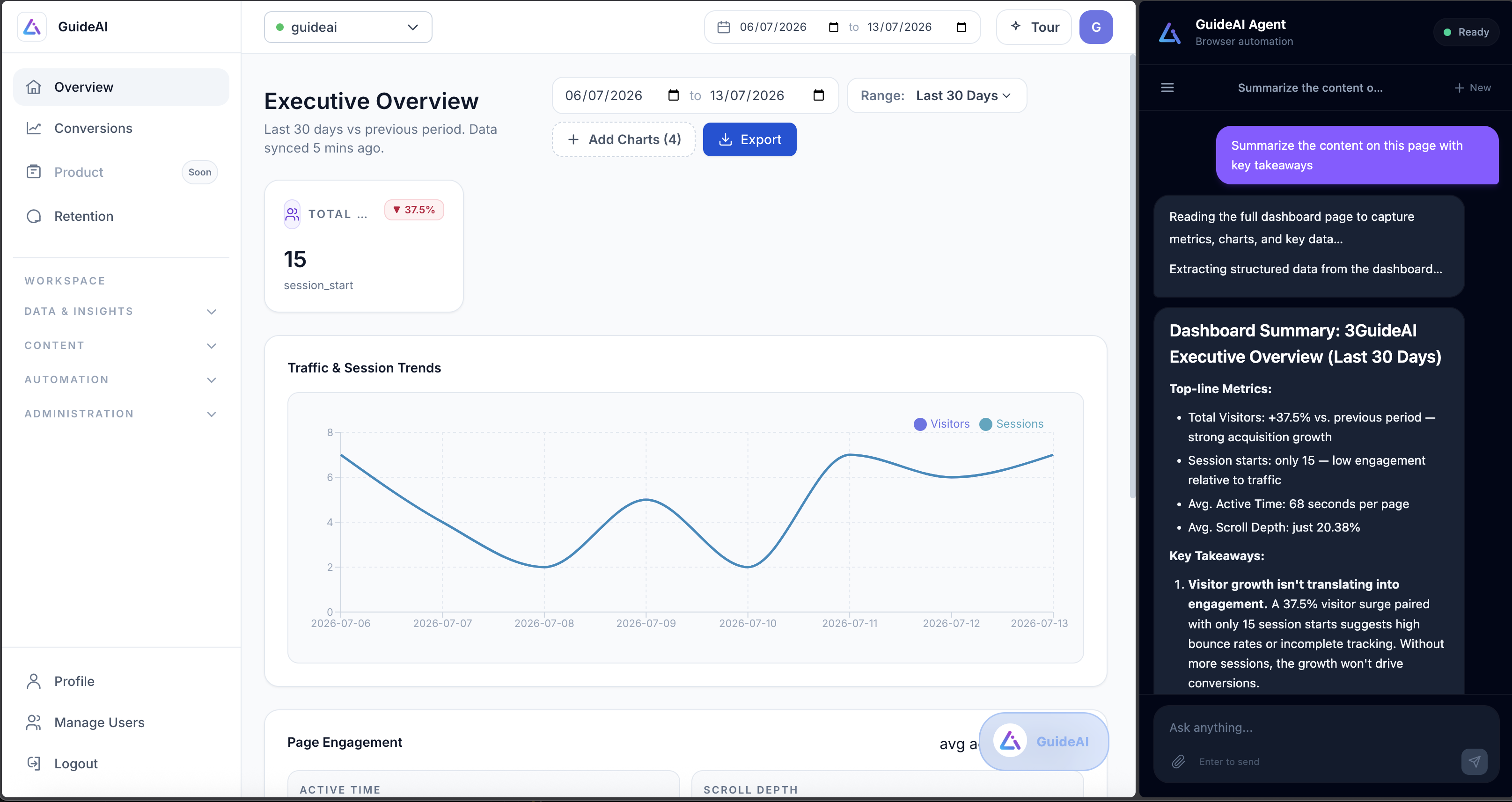
Browser Copilot
Most platforms stop at showing users where to click. 3Guide ships an autonomous copilot that can complete the task for them like clicking buttons, filling forms, and navigating pages, with the user watching every step.
From startup to enterprise
You don't graduate into features. The full platform is there from your very first snippet — what grows is your scale, your teams, and the way you govern it.
01 · Startup
First users
Add one snippet, record a flow, and go live. Guidance chat, in-app guides, and the copilot are all there from day one.
02 · Growing
Thousands of users
The same platform now deflects support, surfaces where users get stuck, and lets you target guidance by segment.
03 · Scaling
Many teams
Roll guidance out across apps and audiences, run surveys, and launch features contextually — no new tool to buy.
04 · Enterprise
Org-wide
Fine-grained segmentation, encryption, headless mode, and live human handoff — the platform you started with, hardened.
Same product, day one to org-wide. You never migrate off 3Guide to grow.
Who it's for
Wherever people have to learn and use software, 3Guide closes the gap between “I signed up” and “I got it done.”
Increase activation, adoption, and retention — without adding friction to the product you built.
Help customers confidently navigate complex onboarding and transaction workflows, and deflect repetitive questions.
Get employees productive faster, standardize critical workflows, and cut the training and IT overhead of every rollout.
Onboard teams, standardize processes, and reduce operational errors inside the software that runs the business.
Solutions
From a user's first login to a completed workflow — 3Guide meets them at every point where adoption is won or lost.
Turn signups into activated users with guided first-run experiences that adapt to each segment.
See the use caseIntroduce valuable features at the right moment — contextually, instead of relying on emails and webinars.
See the use caseDeflect repetitive how-do-I questions with AI answers and in-context guides before they become tickets.
See the use caseReplace static training with interactive, in-product guidance — teach people where the work actually happens.
See the use caseDon't just show users what to do — let the AI Copilot complete supported workflows alongside them.
See the use caseRemove friction between signup and value, and use behavioral analytics to see where prospects get stuck.
See the use caseTrust & safety
A tool that can act inside your product has to be worth trusting. Here is what that means in practice.
Traffic between your product, your users, and 3Guide is encrypted the whole way. Nothing travels in the clear.
The system verifies the widget is running on a site that's actually allowed to use it. Copy the embed code onto another site and every request is refused.
The smartest parts run on our servers, not in the browser. That's security — and it means a competitor can't lift the logic out of your page.
FAQ
The questions buyers actually ask before installing 3Guide.
A layer you add on top of software you already have — no rebuild required — that teaches people how to use it, and increasingly, just does things for them. You paste one line of code into your web app and a small AI helper lives inside your product from that moment on.
Ordinary help widgets explain the seven clicks. 3Guide can perform them. A user types “cancel my subscription” and the copilot navigates and clicks through the workflow itself, with the user watching every step. There's a browser automation engine underneath that drives the page the way a person would.
That's the hard problem in this market, and most tools silently rot. 3Guide identifies every element six different ways at once — ID, text, position, surroundings, appearance and more — so if one clue disappears the others still find it. When a tour does break, an AI inspects the changed page, works out where the button went, and repairs the walkthrough itself.
From your product specifically, not the open web. 3Guide builds a knowledge base from your site and docs and keeps it current, and a UI analyzer can read your interface to map every page and button in advance — so the assistant starts out already knowing your layout. You review and curate what it uses.
The widget deliberately separates the two modes. A coloured badge and a different prompt tell the user whether they're asking how to do something or telling it to act. The copilot only performs supported actions, confirms sensitive steps, and runs in the user's own session with their permissions.
Fewer support tickets, faster onboarding for new users and new staff, and hard data on exactly where your product confuses people. Beyond the widget you get the dashboard, analytics, a live support inbox, a browser extension, a UI analyzer, and automatic video walkthroughs.
One that operates itself needs less of your user's time at all. Paste one line of code and see the difference in a week.
No credit card required · One line of code · No rebuild